
Description
Image to WebP Converter – Multi-Format Image Converter
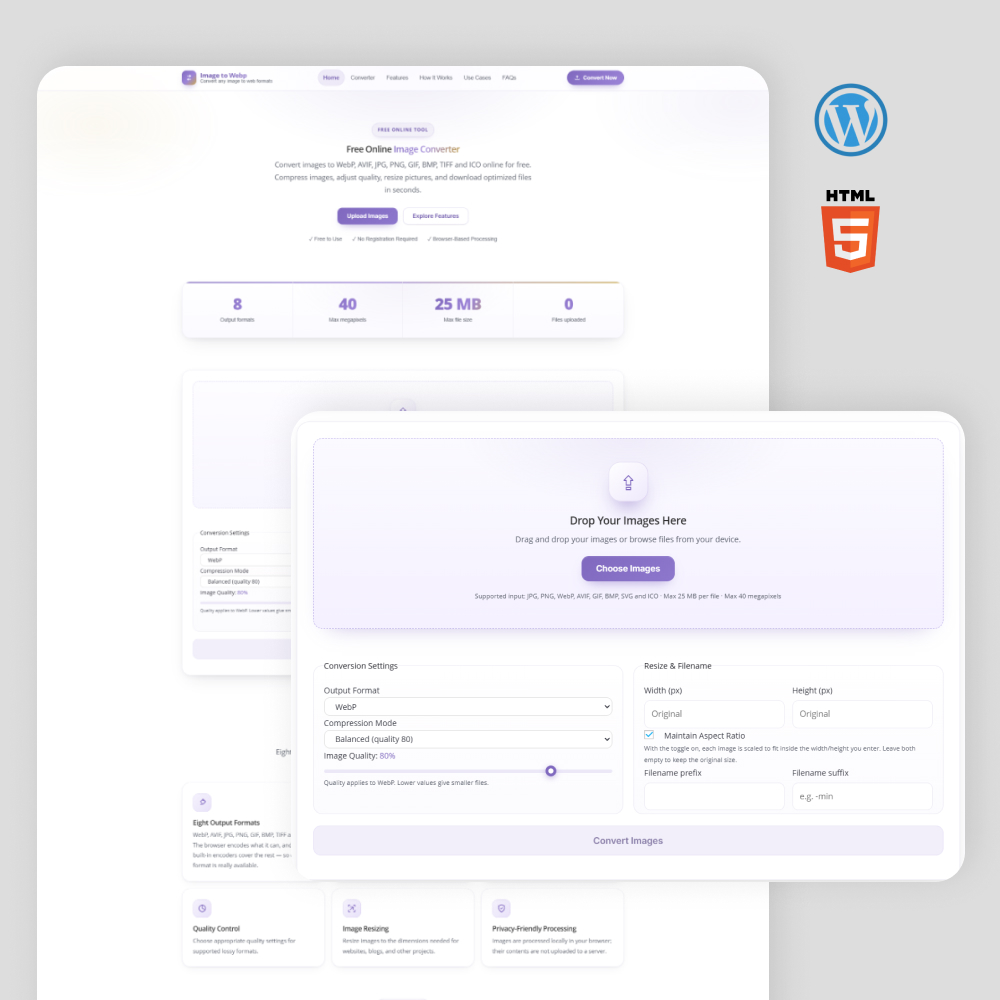
Download this free Image to WebP Converter Custom WordPress Website from WebCrowd, a useful tool for developers, designers, and website owners who need to convert images between supported formats for their web projects.
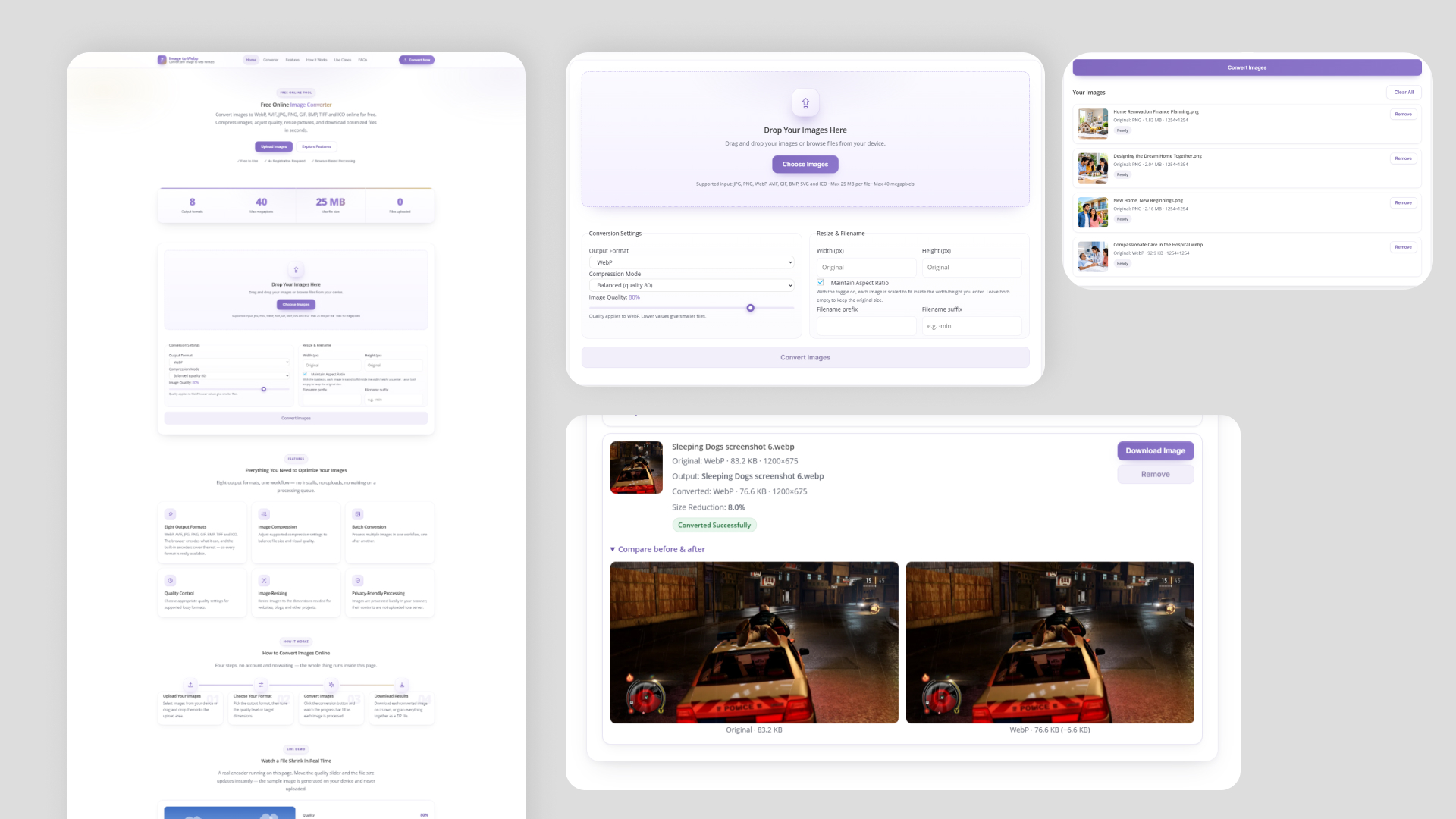
This multi-format image converter supports WebP, AVIF, JPG, PNG, GIF, BMP, TIFF, and ICO formats, making it useful for different image conversion requirements. Whether you are building a website, developing a web application, or working on a personal project, this script can help you integrate image conversion functionality into your workflow.
The website is completely customized using html and then integrated to one of best Builder which is WordPress. The website included with OceanWP child theme, everything is scalable and flexible codings.
Key Features
- Responsive Design: Works across desktop, tablet, and mobile screen sizes.
- Multiple Image Formats: Supports WebP, AVIF, JPG, JPEG, PNG, GIF, BMP, TIFF, and ICO formats.
- Image to WebP Conversion: Convert supported image formats into WebP.
- Multi-Format Conversion: Convert images between supported formats.
- Simple User Interface: Clean and user-friendly interface for easy image conversion.
- Fast Conversion Process: Convert images efficiently, depending on image size and the processing environment.
- Easy File Upload: Upload images conveniently for conversion.
- Download Converted Images: Save converted images to your device.
- Cross-Browser Compatibility: Designed to work with modern browsers, subject to browser and format support.
- Developer-Friendly Code: Suitable for developers who want to explore or customize an image converter for their projects.
- Customizable Design: Modify the layout, styling, and functionality according to your project requirements.
- Ready-to-Use WordPress Files: Download the available source files and follow the setup instructions to get started.
Theme Used
OceanWP
Image to WebP Converter – Multi-Format Image Converter
Download this free Image to WebP Converter Tool Wordpress website and convert AVIF, JPG, PNG, GIF, BMP, TIFF, and ICO images for your web development projects.
-
Responsive Design
-
Multiple Image Format Support
-
Fast Image Conversion
-
Easy File Upload
-
User-Friendly Interface
-
Cross-Browser Compatibility
-
Customizable Design
-
Easy Image Downloads
-
Developer-Friendly
-
Free Download
Description
Image to WebP Converter – Multi-Format Image Converter
Download this free Image to WebP Converter Custom WordPress Website from WebCrowd, a useful tool for developers, designers, and website owners who need to convert images between supported formats for their web projects.
This multi-format image converter supports WebP, AVIF, JPG, PNG, GIF, BMP, TIFF, and ICO formats, making it useful for different image conversion requirements. Whether you are building a website, developing a web application, or working on a personal project, this script can help you integrate image conversion functionality into your workflow.
The website is completely customized using html and then integrated to one of best Builder which is WordPress. The website included with OceanWP child theme, everything is scalable and flexible codings.
Key Features
- Responsive Design: Works across desktop, tablet, and mobile screen sizes.
- Multiple Image Formats: Supports WebP, AVIF, JPG, JPEG, PNG, GIF, BMP, TIFF, and ICO formats.
- Image to WebP Conversion: Convert supported image formats into WebP.
- Multi-Format Conversion: Convert images between supported formats.
- Simple User Interface: Clean and user-friendly interface for easy image conversion.
- Fast Conversion Process: Convert images efficiently, depending on image size and the processing environment.
- Easy File Upload: Upload images conveniently for conversion.
- Download Converted Images: Save converted images to your device.
- Cross-Browser Compatibility: Designed to work with modern browsers, subject to browser and format support.
- Developer-Friendly Code: Suitable for developers who want to explore or customize an image converter for their projects.
- Customizable Design: Modify the layout, styling, and functionality according to your project requirements.
- Ready-to-Use WordPress Files: Download the available source files and follow the setup instructions to get started.
Theme Used
OceanWP
Reviews
There are no reviews yet.